
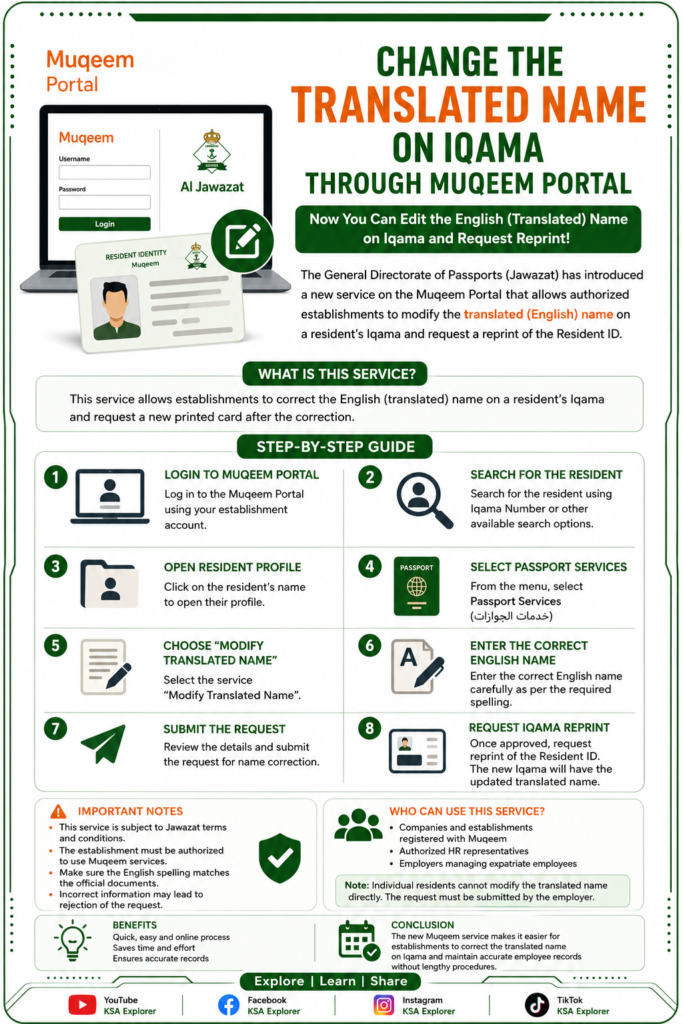
How to Change the Translated Name on Iqama Through Muqeem Portal (Step-by-Step Guide)
Saudi Arabia Introduces New Muqeem Service to Correct English Name on Iqama
Saudi Arabia’s General Directorate of Passports (Jawazat) has introduced a new service through the Muqeem Portal that allows establishments to modify the translated (English) name on a resident’s Iqama and request a new printed card.
This service is available to authorized establishments that manage employees through the Muqeem platform.
What Is the New Service?
The new Muqeem service enables companies to:
- Correct the English (translated) name on an employee’s Iqama.
- Submit a request to reprint the Resident ID after the correction.
- Complete the process electronically through the Muqeem portal.
Note: This service is intended for correcting the translated English name only and is subject to Jawazat’s terms and conditions.
Who Can Use This Service?
The service is available to:
- Companies and establishments registered with Muqeem.
- Authorized HR representatives.
- Employers managing expatriate employees.
Individual residents cannot modify the translated name directly through their personal account. The request must be submitted by the employer or authorized establishment.
Step-by-Step Guide
Step 1: Log in to Muqeem Portal
Sign in using your establishment’s Muqeem account.
Step 2: Search for the Resident
Use the search option to locate the employee.
You can search using:
- Iqama Number
- Resident information
Step 3: Open the Resident Profile
After selecting the employee, open the resident’s profile to view available services.
Step 4: Select Passport Services
Navigate to Passport Services (خدمات الجوازات).
Step 5: Choose “Modify Translated Name”
Select the service:
Modify Translated Name (تعديل الاسم المترجم)
Step 6: Enter the Correct English Name
Carefully type the correct English spelling exactly as required.
Double-check all details before submitting.
Step 7: Submit the Request
Review the information and submit the request through the Muqeem portal.
Step 8: Request Iqama Reprint
After the correction is approved, request a reprint of the Resident Identity card.
The new card will display the updated translated name.
Important Notes
- The service is subject to Jawazat regulations.
- The establishment must have authorization to use Muqeem services.
- Ensure the English spelling matches the official documents whenever applicable.
- Incorrect information may lead to rejection of the request.
Frequently Asked Questions (FAQs)
Can residents change the translated name themselves?
No. The request must be submitted by the employer or authorized establishment through the Muqeem portal.
Does this change the Arabic name?
No. This service only updates the translated (English) name.
Is a new Iqama required?
Yes. After approval, a reprint of the Resident ID should be requested.
Conclusion
The new Muqeem service simplifies the process of correcting the translated English name on an Iqama. Employers can now complete the correction online and request a new Resident ID without lengthy procedures, making it easier to ensure employee records match official documentation.