
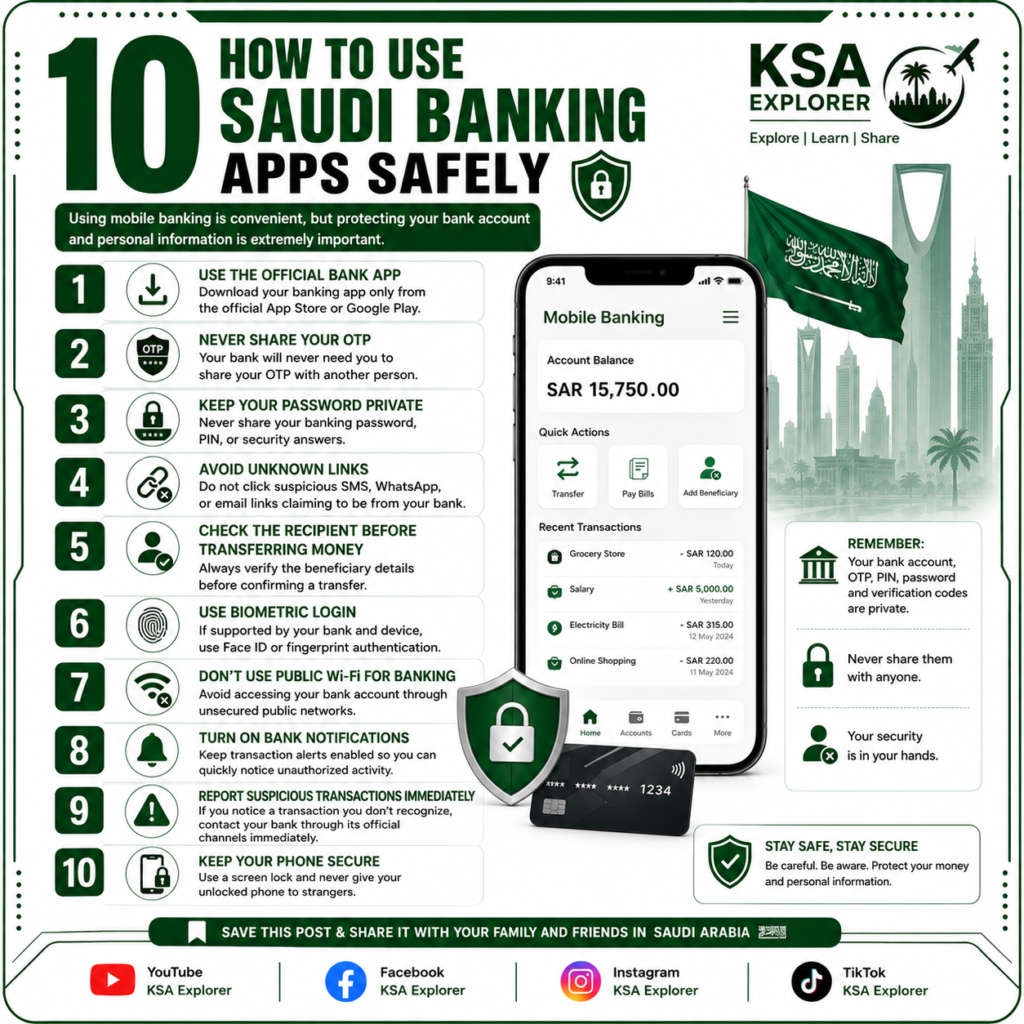
Mobile banking has made everyday financial transactions much easier in Saudi Arabia. Residents can check their balances, transfer money, pay bills, add beneficiaries and manage many banking services directly from their smartphones.
However, convenient banking also requires good security practices. Scammers may try to obtain your banking password, OTP, card details or other personal information through fake calls, SMS messages, WhatsApp messages and websites.
Here are 10 important tips to help you use Saudi banking apps safely.
1. Use Only the Official Banking App
Always download your bank’s mobile application from the official Apple App Store or Google Play Store.
Avoid downloading banking applications from unknown websites, links received through WhatsApp, or unofficial APK files.
Before entering your banking details, make sure you are using the genuine application provided by your bank.
2. Never Share Your OTP
One of the most important banking security rules is simple:
Never share your OTP with anyone.
Your bank may send you a one-time verification code when you log in, make a transaction or perform certain security actions.
Never give this code to another person, even if they claim to be:
- A bank employee
- A government official
- A customer-service representative
- A delivery company employee
- A police officer
- A technical-support agent
If someone asks you for your OTP, treat it as a serious warning sign.
3. Keep Your Password and PIN Private
Your banking password, PIN and security information should remain confidential.
Do not write your password where other people can easily see it, and avoid using simple passwords that can be easily guessed.
If you believe someone has obtained your banking password, contact your bank through its official customer-service channels and change your credentials if required.
4. Avoid Suspicious Links
Scammers frequently send fake SMS messages, emails and WhatsApp messages pretending to be from banks.
These messages may claim that:
- Your account will be suspended
- Your card has been blocked
- You need to update your information
- You have received a payment
- You need to verify your account
Do not click suspicious links.
Instead, open your bank’s official application directly or visit the bank’s official website yourself.
5. Check the Beneficiary Before Making a Transfer
Before confirming any bank transfer, carefully check the beneficiary’s information.
Make sure the:
- Beneficiary name
- Account/IBAN details
- Transfer amount
are correct before completing the transaction.
If someone pressures you to transfer money urgently, take a moment to verify the request independently.
6. Use Biometric Authentication
If your bank and smartphone support biometric authentication, consider using features such as:
Face ID or fingerprint authentication.
Biometric login can provide an additional layer of security and can make it more difficult for another person to access your banking application if they obtain your phone.
7. Avoid Banking on Unsecured Public Wi-Fi
Avoid accessing your banking account through unsecured public Wi-Fi networks whenever possible.
For sensitive financial transactions, it is better to use your mobile data or a trusted private network.
This is especially important when you are using banking applications in airports, cafés, malls, hotels or other public locations.
8. Turn On Banking Notifications
Enable transaction notifications provided by your bank.
These alerts can help you notice unusual activity quickly.
For example, if you receive a notification about a transaction that you did not make, you can immediately contact your bank through its official channels.
9. Report Suspicious Transactions Immediately
If you notice an unfamiliar transaction, suspicious activity or anything unusual in your bank account, contact your bank immediately using its official customer-service channels.
Do not wait to see whether the problem disappears.
The faster you report suspicious activity, the sooner the bank can advise you on the appropriate security steps.
10. Keep Your Smartphone Secure
Your smartphone is effectively a gateway to your banking accounts, so protecting the device is extremely important.
Use:
- A strong screen lock
- Face ID or fingerprint authentication
- The latest operating-system updates
- Official banking applications
- Security updates
Never leave your unlocked phone with strangers or allow someone you do not trust to access your banking applications.
Common Banking Scams to Watch Out For
Saudi residents should be particularly careful with unexpected messages or calls requesting sensitive information.
Be suspicious if someone asks you for your:
OTP + Banking Password + PIN + Card Number + CVV + Verification Code
These details should never be shared with unknown people.
Remember that scammers can make their messages and phone calls look very convincing.
What Should You Do If You Think Your Banking Information Has Been Compromised?
If you believe your banking credentials or card information may have been exposed:
- Contact your bank immediately through an official channel.
- Follow the bank’s security instructions.
- Change your banking password if advised or necessary.
- Check recent transactions.
- Report any unauthorized transaction immediately.
- Do not communicate further with the suspicious person or number.
Final Thoughts
Mobile banking is one of the easiest ways to manage your finances in Saudi Arabia, but convenience should always be combined with security.
The most important rule is simple:
Never share your password, PIN, OTP or verification codes with anyone.
Always use official banking applications and websites, avoid suspicious links, verify transfers carefully and report unusual transactions immediately.
Save this guide and share it with your family and friends living in Saudi Arabia.
Frequently Asked Questions
Can I share my bank OTP with a bank employee?
No. You should never share an OTP with another person. Keep your verification codes private.
Is it safe to use mobile banking in Saudi Arabia?
Yes, mobile banking can be used safely when you follow basic security practices and use official banking applications and websites.
What should I do if I receive a suspicious bank SMS?
Do not click the link or provide any information. Access your bank through its official application or official website and contact the bank if necessary.
Should I use public Wi-Fi for banking?
It is better to avoid sensitive banking activity on unsecured public Wi-Fi. Use mobile data or a trusted private connection whenever possible.
What should I do if I see an unauthorized transaction?
Contact your bank immediately through its official customer-service channel and report the transaction.